
Episode 1 of the series MCP Explained
What is MCP? Hosts, clients, servers and the three primitives
6 min read

Everyone building with AI keeps running into the same three letters: MCP, the Model Context Protocol. It is the standard that lets an AI app use your tools and your data without custom wiring for every pair.
In this first episode of MCP Explained you will learn what problem MCP solves, the three roles every MCP setup has (host, client and server), the three things a server can offer (tools, resources and prompts), and how a single tool call travels from the model to the server and back. No code yet: that comes in episode 2.
The integration problem
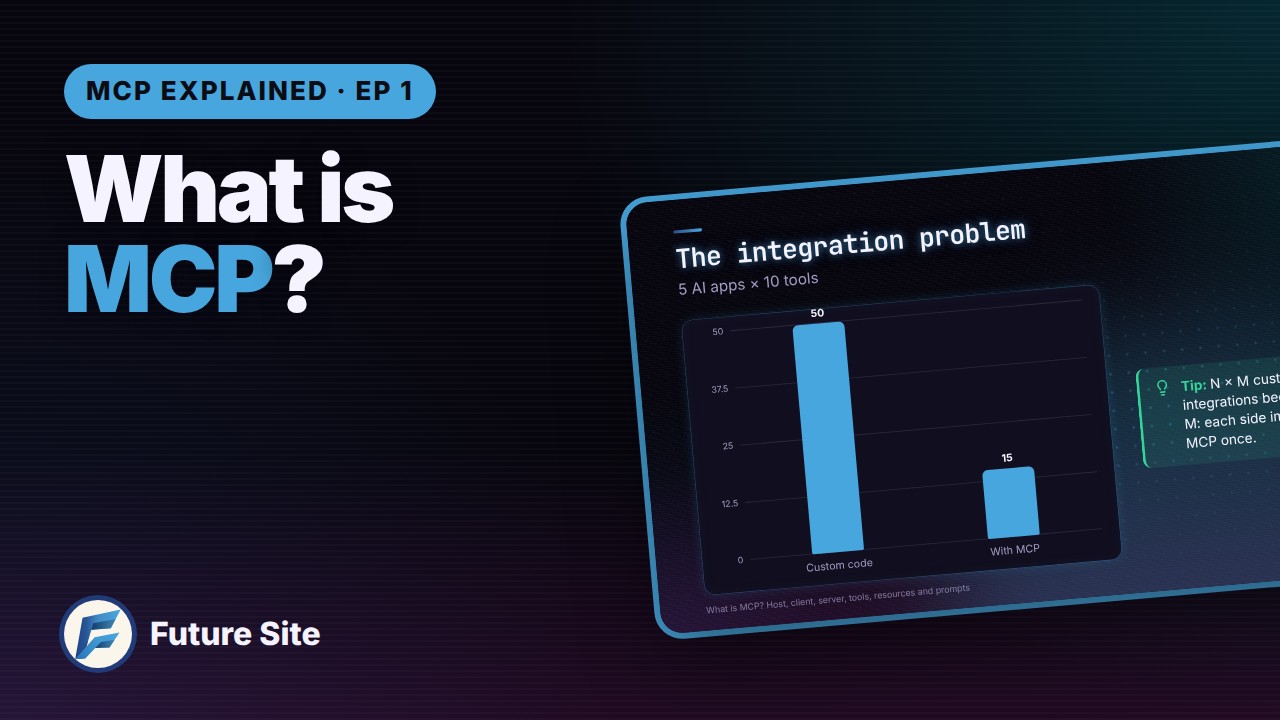
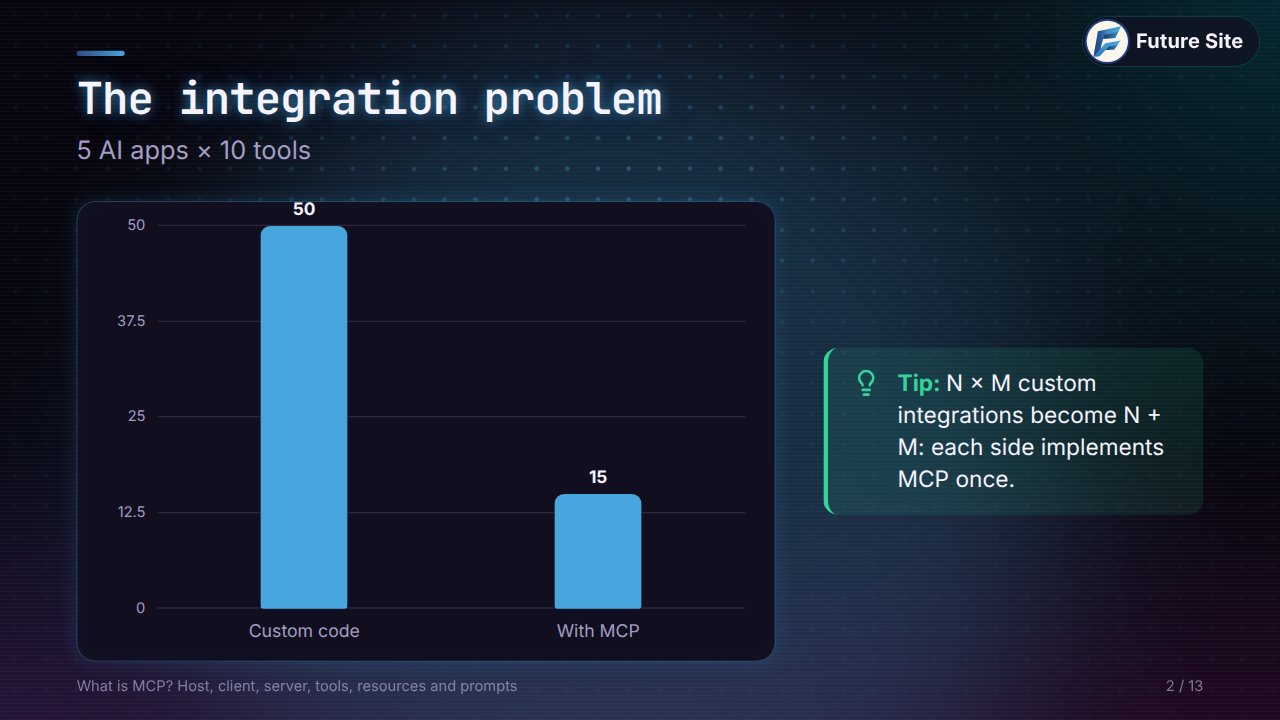
Imagine you have five AI apps (a chat assistant, a code editor, an agent you built yourself…) and ten tools they should be able to use: a database, GitHub, your calendar, your documentation. If every app talks to every tool with its own custom code, you write and maintain 5 × 10 = 50 integrations. Every new app adds ten more; every new tool adds five.
A shared protocol changes the maths. Each app implements MCP once, and each tool implements MCP once: 5 + 10 = 15 pieces of work, and any app can then talk to any tool. Multiplication becomes addition. That is the whole idea.
You will often hear the short version: MCP is USB-C for AI apps. One standard plug between any AI app and any tool or data source.
Three roles: host, client, server
Every MCP setup has the same three parts.
- Host: the AI application you actually use, such as Claude, ChatGPT or your code editor. It owns the conversation and the model.
- Client: lives inside the host and keeps one connection to one server. Connect three servers and the host runs three clients.
- Server: a small program that exposes capabilities (your tools, your data, your prompts) over the protocol.
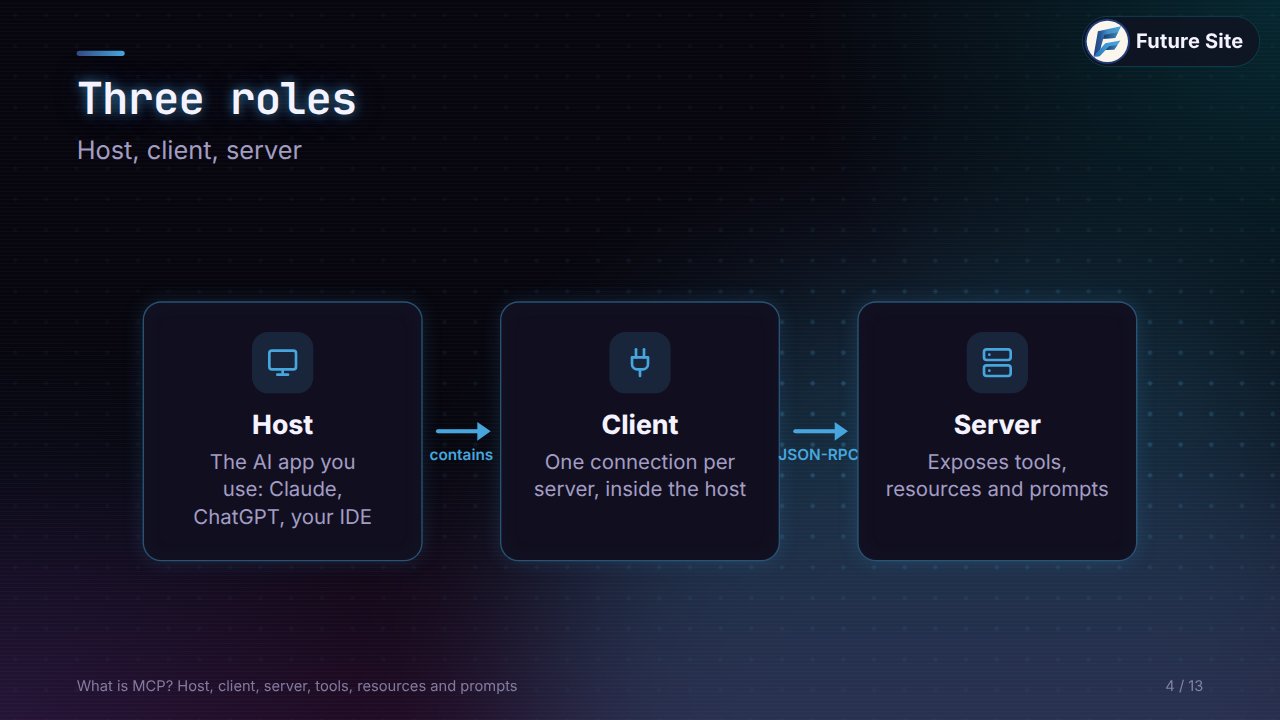
Client and server exchange JSON-RPC messages: plain JSON requests and responses, each with a method name such as tools/list or tools/call. Nothing exotic, which is one reason MCP spread so quickly.
What a server offers: tools, resources and prompts
A server can offer three kinds of things, called primitives. The easiest way to remember them is to ask who is in control of each one.
| Primitive | What it is | Who decides to use it | Examples |
|---|---|---|---|
| Tools | Actions | The model | Search the web, create an issue, send an email |
| Resources | Data to read | The application | Project files, database rows, documentation pages |
| Prompts | Ready-made templates | The user | "Review this pull request", "Summarise today's tickets" |
Tools describe themselves
Tools are where most of the magic happens, because they describe themselves. When the client connects, it asks the server for its list of tools (tools/list), and each tool comes back like this:
{
  "name": "get_weather",
  "description": "Forecast for a city",
  "inputSchema": {
    "type": "object",
    "properties": { "city": { "type": "string" } },
    "required": ["city"]
  }
}
Three parts matter. The name is what the model calls. The description, in plain words, is what the model reads to decide when the tool is useful. The input schema (JSON Schema) tells the model exactly what to send. There is no documentation to read and no glue code to write: plug in a new server and the model can use its tools straight away.
Resources: context on demand
Resources are the quieter primitive. They are things to read, not actions: the files of a project, rows from a database, pages of your documentation. Each one has an address, a URI such as file://… or db://…, so the app can ask for exactly what it needs. The application decides which resources go into the model's context, and it often lets you pick them yourself.
Prompts: reusable workflows
Prompts are templates for common jobs, much like slash commands. The user picks one ("write release notes from the latest commits"), fills in a few arguments, and the server provides well-tested instructions. In other words, a server can ship the best way to use its own tools.
One tool call, end to end
Let's follow a single request. You ask: What's the weather in Rome?
- The model sees the
get_weathertool in its list and decides to use it, withcity: "Rome". - The host can ask you to approve the call first. Then its client sends a
tools/callrequest to the weather server. - The server does the real work (perhaps calling a weather API) and sends back the result: 22 °C, sunny.
- The host puts that result into the model's context, and the model writes its answer.
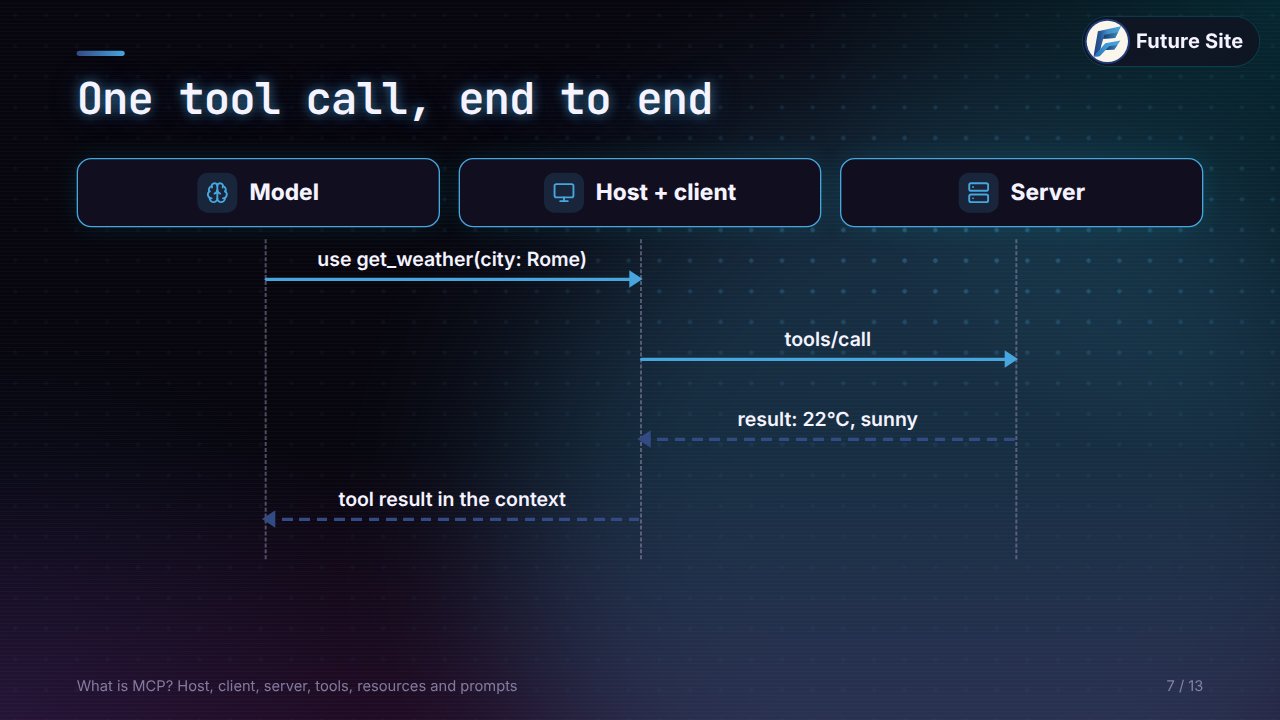
The model never talks to the server directly. The host stays in the middle, which is where approvals, permissions and logging live.
Local or remote: the two transports
How do those JSON-RPC messages travel? MCP defines two standard transports.
- stdio (local): the host starts the server as a process on your machine and talks to it through standard input and output. Ideal for local files, scripts and developer tools.
- Streamable HTTP (remote): the server runs anywhere on the web behind one HTTP endpoint, usually with OAuth for sign-in. This is how companies offer their services to any AI app.
The messages are the same either way, so a server can start local and move to the web later.
Who speaks MCP
Chances are you already use an MCP host. Claude supports it in the desktop app, in Claude Code and through the API. OpenAI adopted MCP for ChatGPT and its Agents SDK. GitHub Copilot's agent mode in VS Code uses MCP servers, and so do Cursor and most AI editors and agent frameworks. Build one server, and it works in all of them.
A quick bit of history explains why: Anthropic open-sourced MCP in November 2024, OpenAI adopted it in March 2025 and Google, Microsoft and others followed, and at the end of 2025 it moved to open governance under the Linux Foundation's Agentic AI Foundation, so no single company owns it.
Practice
Check what stuck. Answer before you look at the solutions.
- You have 4 AI apps and 6 tools. How many integrations do you need without MCP, and how much work with it?
- A host is connected to three MCP servers. How many clients does it run?
- Tool, resource or prompt? (a) "Create a calendar event", (b) "The README of this repository", (c) "Summarise this week's support tickets".
- Which part of a tool definition does the model read to decide when to call it?
- Your server reads files on the user's laptop. Which transport fits best?
Answers: 1. 4 × 6 = 24 integrations without MCP; 4 + 6 = 10 implementations with it. 2. Three, one client per server. 3. (a) a tool, (b) a resource, (c) a prompt. 4. The description (the name identifies it, the schema says what to send). 5. stdio, running locally.
Next
In episode 2 we build a first MCP server, in Python and in TypeScript, and connect it to Claude. The whole series is on the MCP Explained page.